


Download music to your phone or computer
Download music directly from popular music-streaming websites, completely free. Use the Cốc Cốc browser’s music downloader to save music to your phone and computer.
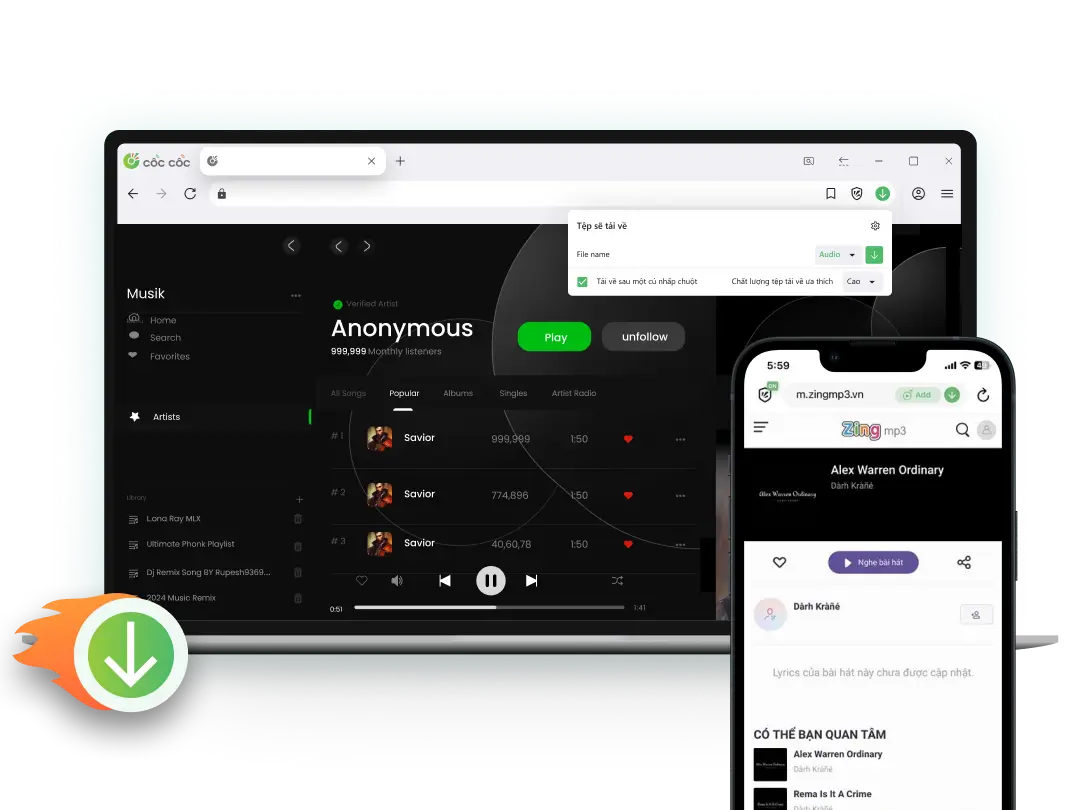
Browser with a built-in music downloader
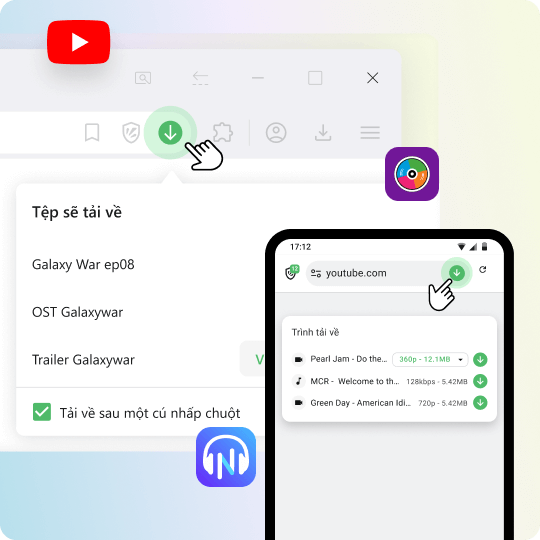
Download music on any devices
To download MP3 music for free, use the Fast Download feature in the Cốc Cốc browser. This feature allows you to download music on various devices such as computers, phones (iOS & Android), and tablets with just a few steps.
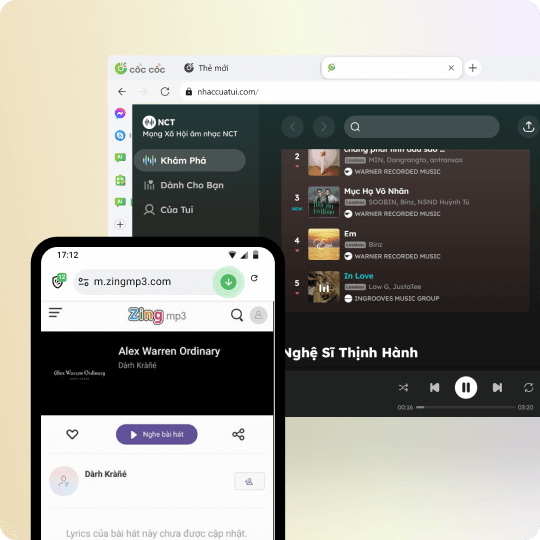
Download music from Zing MP3, NhacCuaTui, SoundCloud
The Music downloader works best on popular music websites such as Zing MP3, SoundCloud, NhacCuaTui, etc. With Cốc Cốc, you can download music directly from websites without needing paid services.
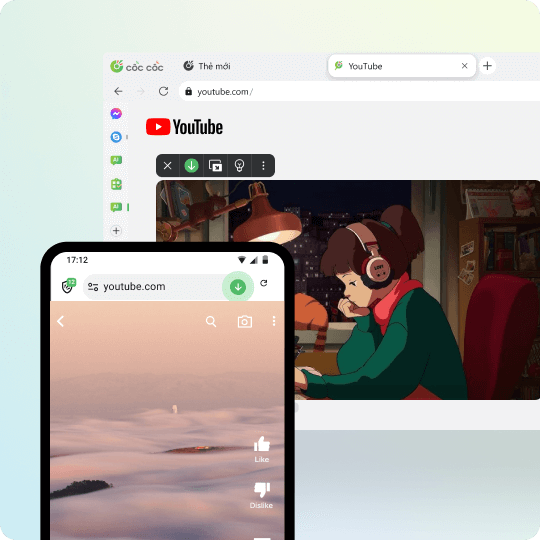
Download audio from YouTube, Facebook, TikTok videos
Not only can you download music and videos, Cốc Cốc also supports converting MP4 to MP3*. This feature lets you download MP3 audio from social media videos like YouTube, Facebook, TikTok, and Instagram to your computer or phone.
*On Android phones, the MP4-to-MP3 conversion feature is only available for YouTube. This feature is not available on iOS devices.
*On Android phones, the MP4-to-MP3 conversion feature is only available for YouTube. This feature is not available on iOS devices.
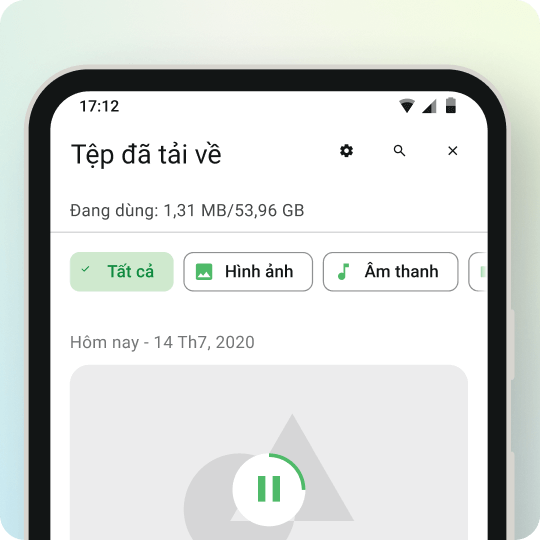
Easily manage files and listen to music offline
After downloading music to your phone or computer, you can easily listen to it offline right in the browser. Enjoy your favorite songs anytime, anywhere — even without an internet connection!
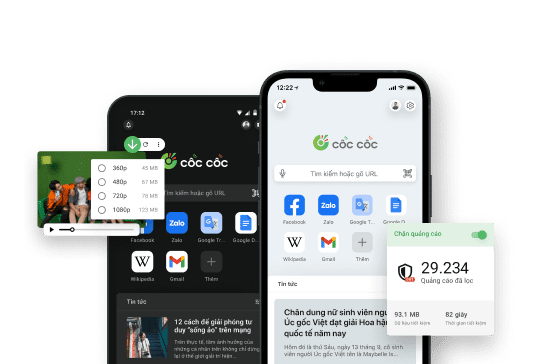
Use Cốc Cốc Browser
To download music on any websites
How to download music to your phone

Open the website containing audio file
Click on Download button on the address bar or media panel.

Select file to download
Choose the download format and quality.

Manage downloaded files
Open Downloads page to find, open the file, or delete it permanently.
How to download music to your computer

Open the website containing audio file
Click on Download button on the address bar or media panel.

Select file to download
Choose the download format Audio to download music.

Manage downloaded files
Open Downloads page to find, open the file, or delete it permanently.
What users say about Cốc Cốc
Anonymous
App Store
I want to listen to music and save network capacity, so this feature is very useful to me

Ha Ngan
App Store
Great feature, I can listen to music anytime, anywhere, without Wifi or 3G
Hai Nguyen
Play Store
Has tons of killer features like media download, ad block and dark theme which are very useful. Keep up the good work.
Frequently asked questions
Which platforms can I download music from?
The Fast download feature allows you to download music from the following platforms:
For Desktop browser
- Music platforms (e.g., Zing MP3)
- Video sharing platforms (e.g., YouTube, TikTok)
For Android mobile browser
- Music platforms (e.g., Zing MP3)
- YouTube
For iOS mobile browser
- Music platforms (e.g., Zing MP3)
For Desktop browser
- Music platforms (e.g., Zing MP3)
- Video sharing platforms (e.g., YouTube, TikTok)
For Android mobile browser
- Music platforms (e.g., Zing MP3)
- YouTube
For iOS mobile browser
- Music platforms (e.g., Zing MP3)
Can I download Spotify music with Cốc Cốc?
No. You cannot download Spotify music using the Download music feature on Cốc Cốc browser due to the platform's policy.
Which tool should I use to download music?
Compared to other tools, Cốc Cốc allows you to download music faster and more conveniently:
- Download music to your phone, computer, or tablet.
- Download music completely free without installing any third-party software.
- Supports multiple file formats and qualities, easily converting from .mp4 to .mp3 files.
- Allows downloading music from most websites, including YouTube, Facebook, and TikTok.
- Downloads up to 8 times faster, saving much more time compared to other music download tools.
- Download music to your phone, computer, or tablet.
- Download music completely free without installing any third-party software.
- Supports multiple file formats and qualities, easily converting from .mp4 to .mp3 files.
- Allows downloading music from most websites, including YouTube, Facebook, and TikTok.
- Downloads up to 8 times faster, saving much more time compared to other music download tools.
How to download music on computer?
On the computer, you can download music (MP3 format) directly with Cốc Cốc browser by following these steps:
With music platform
1. Open Cốc Cốc and access the song link that you want to download.
2. Click Download button (↓ icon) on the address bar.
3. Select the file format and preferred quality.
With video platform
1. Open Cốc Cốc and access the song or video link that you want to download.
2. Click Download button (↓ icon) on the media panel (which appears above the video player) or on the address bar.
3. Select Audio format and download quality.
Learn more in the article How to download video and audio with the Cốc Cốc browser.
With music platform
1. Open Cốc Cốc and access the song link that you want to download.
2. Click Download button (↓ icon) on the address bar.
3. Select the file format and preferred quality.
With video platform
1. Open Cốc Cốc and access the song or video link that you want to download.
2. Click Download button (↓ icon) on the media panel (which appears above the video player) or on the address bar.
3. Select Audio format and download quality.
Learn more in the article How to download video and audio with the Cốc Cốc browser.
How to download music on mobile?
To download music on mobile with Cốc Cốc, you can follow the following instruction:
1. Open Cốc Cốc and go to the link of the song you want to download.
2. Tap the Download button (↓ icon) on the address bar.
3. At the bottom right corner, tap Browser menu icon (≡ icon) > tap Downloads to find the file.
Learn more in the article How to download video and audio with the Cốc Cốc browser.
1. Open Cốc Cốc and go to the link of the song you want to download.
2. Tap the Download button (↓ icon) on the address bar.
3. At the bottom right corner, tap Browser menu icon (≡ icon) > tap Downloads to find the file.
Learn more in the article How to download video and audio with the Cốc Cốc browser.
Which websites can I download audio from videos on?
The MP4-to-MP3 conversion feature allows users to download music or audio from videos on the following websites:
- For desktop browsers: Most websites, including popular ones such as YouTube, TikTok, Facebook, and Instagram.
- For Android mobile browsers: Supported on YouTube only.
- For iOS mobile browsers: Not supported.
- For desktop browsers: Most websites, including popular ones such as YouTube, TikTok, Facebook, and Instagram.
- For Android mobile browsers: Supported on YouTube only.
- For iOS mobile browsers: Not supported.
How to listen to music offline?
You can use Cốc Cốc as an offline music listening app on your mobile. To enjoy offline listening with Cốc Cốc, you can follow one of the following instruction:
Instruction 1: Use Fast download feature on Cốc Cốc (applied on Android and iOS)
1. Open Cốc Cốc and go to the link of the song you want to listen offline.
2. Tap the Download button (↓ icon) on the address bar.
3. At the bottom right corner, tap Browser menu icon (≡ icon) > tap Downloads.
4. Select any audio to listen offline right on Cốc Cốc app.
Note: With YouTube, Cốc Cốc app for iOS currently does not support music download.
Instruction 2: Use Cốc Cốc Playlist feature on Cốc Cốc (applied on iOS)
1. Open Cốc Cốc and go to the link of your favorite content on YouTube, SoundCloud, NhacCuaTui or ZingMP3.
2. Add songs or videos to Cốc Cốc Playlist.
3. Open your created playlist.
- Listen to an entire playlist offline: Tap the Make all offline button right on the screen.
- Listen to a specific song offline: On the right of the song or video, tap More icon (⋯ icon) > select Make offline.
Read more in the article How to watch a video and listen to music offline on iPhone.
Instruction 1: Use Fast download feature on Cốc Cốc (applied on Android and iOS)
1. Open Cốc Cốc and go to the link of the song you want to listen offline.
2. Tap the Download button (↓ icon) on the address bar.
3. At the bottom right corner, tap Browser menu icon (≡ icon) > tap Downloads.
4. Select any audio to listen offline right on Cốc Cốc app.
Note: With YouTube, Cốc Cốc app for iOS currently does not support music download.
Instruction 2: Use Cốc Cốc Playlist feature on Cốc Cốc (applied on iOS)
1. Open Cốc Cốc and go to the link of your favorite content on YouTube, SoundCloud, NhacCuaTui or ZingMP3.
2. Add songs or videos to Cốc Cốc Playlist.
3. Open your created playlist.
- Listen to an entire playlist offline: Tap the Make all offline button right on the screen.
- Listen to a specific song offline: On the right of the song or video, tap More icon (⋯ icon) > select Make offline.
Read more in the article How to watch a video and listen to music offline on iPhone.
Where is my downloaded audio saved?
On computer
Files will be saved in the default download folder or the download folder that you select right before downloading the file. To find the folders where you saved your downloaded files, please follow these steps:
1. Open Cốc Cốc on your computer.
2. At the top right corner, click the Downloads icon (the outermost ↓ icon).
3. Search for the song in the download list > click Show in folder.
On iPhone, iPad
Songs will be saved in Cốc Cốc app (in Downloads). To save downloaded songs to your device, please follow these steps:
1. On your iPhone or iPad, open Cốc Cốc app.
2. At the bottom right corner, tap Browser menu icon (≡ icon) > select Downloads.
3. In Downloads folder, select Audio.
4. Search for the music in the download list > tap More icon (⁝ icon) > tap Share.
5. Select Save File (save to Photos) or Save to Files.
On Android phone or tablet
Songs will be saved in Cốc Cốc app (in Downloads) and on your device (in Gallery and My Files).
Files will be saved in the default download folder or the download folder that you select right before downloading the file. To find the folders where you saved your downloaded files, please follow these steps:
1. Open Cốc Cốc on your computer.
2. At the top right corner, click the Downloads icon (the outermost ↓ icon).
3. Search for the song in the download list > click Show in folder.
On iPhone, iPad
Songs will be saved in Cốc Cốc app (in Downloads). To save downloaded songs to your device, please follow these steps:
1. On your iPhone or iPad, open Cốc Cốc app.
2. At the bottom right corner, tap Browser menu icon (≡ icon) > select Downloads.
3. In Downloads folder, select Audio.
4. Search for the music in the download list > tap More icon (⁝ icon) > tap Share.
5. Select Save File (save to Photos) or Save to Files.
On Android phone or tablet
Songs will be saved in Cốc Cốc app (in Downloads) and on your device (in Gallery and My Files).
Does Cốc Cốc limit the number of songs I can download?
No. You can download as many songs as you like without any limit.

Can't find what you're looking for?
Please visit our Support center to find instructions or chat with our User Support.
Please visit our Support center to find instructions or chat with our User Support.