


Look up dictionary
and translate text as you browse
Instant translation for any selected phrase or sentences in over 100 languages in the world. Especially optimized for English to Vietnamese, Chinese to Vietnamese dictionary lookup. Download Cốc Cốc now!
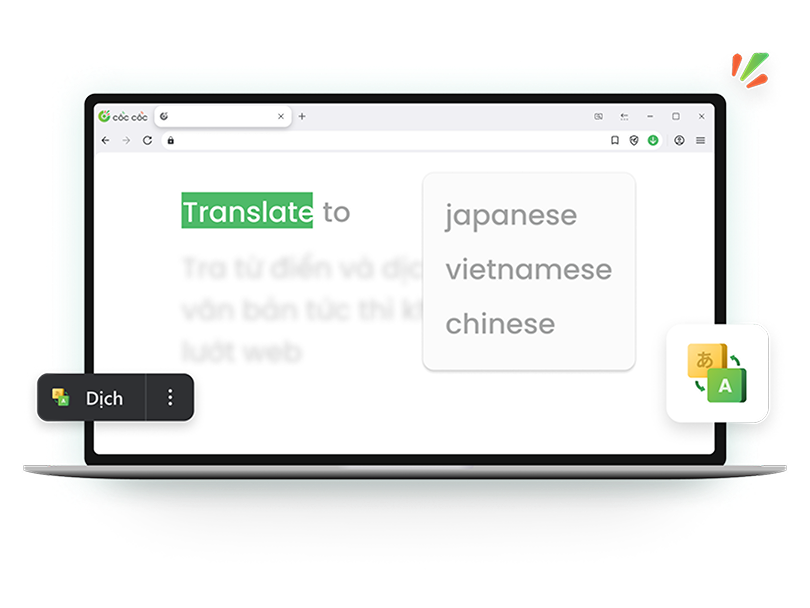
Super convenient dictionary lookup and text translation
Cốc Cốc is the best browser for language learning and reading in foreign languages. No need to install extra extensions or search for reference sources.

Multiple language support
Translate English, French, Chinese, Korean, Japanese and 100+ other languages.

Various translation options
See word meaning, translate a whole selected sentence or paragraph.

Useful references
Hear pronunciation, view more explanations in Oxford, Cambridge dictionary.

Translate without interruption to your reading experience
With built-in Dictionary and Translation feature on Cốc Cốc, you don't need to switch tabs to search with another tools. View the meaning instantly in a pop-up dialog box or window, easily compare the translation with the original context.
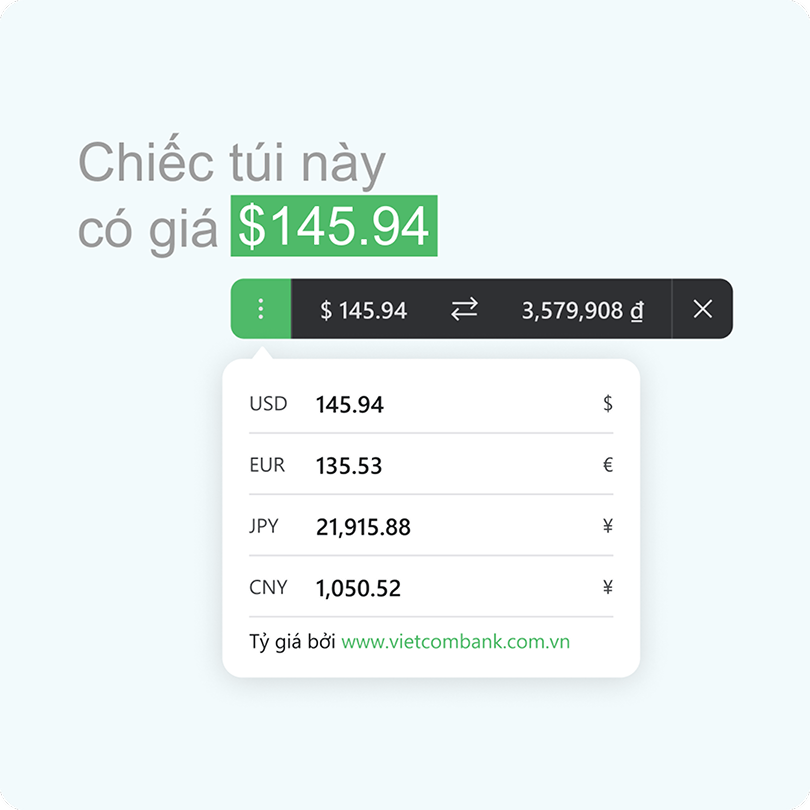
Optimized for reading in foreign languages
Not only supporting translation in multiple languages, Cốc Cốc also helps with your document research with Unit converter feature. Just select the number and its unit to exchange a foreign currency or unit of measurement to a more common unit in Vietnam.
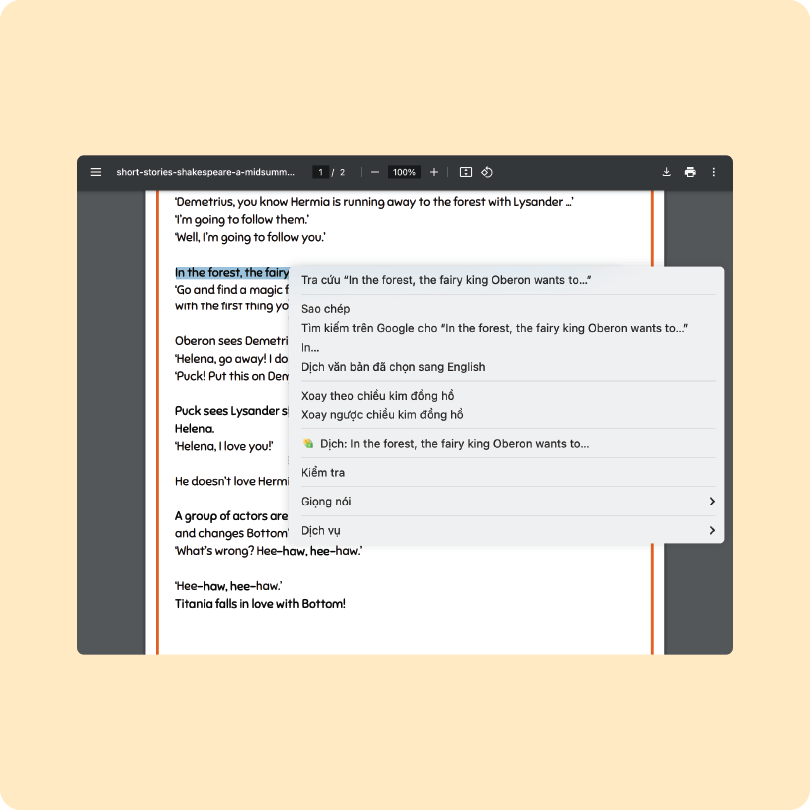
Support translation on PDF files
Reading PDF documents is smoother than ever! Simply select the text, right-click and hit Translate—instant results, no hassle. Translate PDF files is as easy as pie!
Download Cốc Cốc browser today
It's easy to look up dictionary and translate
Built-in feature that's easy to use

Select text
Select a word or text you need to translate, then click Translate.

View translation
See word meanings and pronunciation, or text translation.

See more references
Look up other meanings, examples on Cambridge and Oxford dictionary.
What users say about Cốc Cốc
Phương Quỳnh
Facebook Group
I switched from Chrome to Cốc Cốc because it has the click-and-see dictionary feature.

Trần An Bảo
Facebook Group
In my opinion, the translation in the new update is more accurate and concise.
Yuzuki Hikari
Facebook Group
The dictionary feature of Cốc Cốc is very helpful and convenient for quick word meaning lookup.
Frequently asked questions
Cốc Cốc supports quick dictionary lookup and text translation for which languages?
With built-in Dictionary and Translation feature, Cốc Cốc desktop browser allows you to view meanings or translation of any selected text (word, phrase, sentence, paragraph) in 100+ languages, including English, French, Chinese, Japanese, Korean. Exclusively, our Dictionary feature is optimized for English and Chinese language.
- English dictionary: View word classes, corresponding meanings in Vietnamese, IPA phonetic transcription and hear sample pronunciation.
- Chinese dictionary: View meaning in Vietnamese, Pinyin Chinese phonetic transcription, Sino-Vietnamese phonetic transcription, see how to write and hear sample pronunciation.
How to use Dictionary and Translation feature on Cốc Cốc?
You can quickly look up the dictionary or translate text on Cốc Cốc desktop browser using 03 actions:
- Double click the word you need to translate
- Select the word or text > click Translate
- Select the word or text > Right-click > select Translate selected text
- Double click the word you need to translate
- Select the word or text > click Translate
- Select the word or text > Right-click > select Translate selected text
Tips to look up dictionary and translate text quickly on computer?
On computer, you can use Cốc Cốc browser to translate languages easily when working and studying. The language support features available on Cốc Cốc include:
- Look up dictionary: Double-click the word.
- Translate selected text: Select the text you want to translate > right-click > select Translate selection to Vietnamese. Besides, you can also select Insert translated text to directly pin the translation beside the original text on the web page.
- Translate the entire web page: Click the Translate this page icon on the address bar > select output language.
Besides, Cốc Cốc also integrates Sidebar feature, allowing you to add shortcuts and translate text quickly with Google Translate in a secondary window. One more way to compare and proofread easily without switching tabs.
Is Dictionary and Translation feature supported in text input area?
You can enable Dictionary and Translation feature in text input area to easy proofread when writing emails or posting on social media.
To enable Dictionary feature in text input area, you can follow these steps:
1. Open Cốc Cốc on your computer.
2. Click Browser menu icon (≡ icon) at the top right corner.
3. Select Settings > select Extensions.
4. Find Dictionary extension > click Details.
5. Click Extension options > select Enable Translation in text input area.
Pros of Dictionary and Translation feature on Cốc Cốc compared to other tools?
Compared to other tools, the Dictionary feature on Cốc Cốc offers the following benefits:
- Built-in on the browser, allow to translate any text in any languages. Especially optimized for English to Vietnamese, Chinese to Vietnamese dictionary.
- Auto-dectect the language of the selected text and translate to Vietnamese. You can also select the language to translate from and translate to.
- Does not interrupt your reading experience, no need to switch tabs to access another tool.
- You do not need to translate the entire web page to understant the content, easily compare with the context in the original text.
- Use with other built-in language support features on Cốc Cốc to increase your work and study productivity such as Spell check, Unit converter.
Is Dictionary feature supported on the mobile browser? How to look up dictionary or translate text on mobile?
Currently, the Dictionary feature of Cốc Cốc is only available on the destop browser and not supported on mobile browser.
On mobile, you can try the online English to Vietnamese dictionary of Cốc Cốc Search. Besides, Cốc Cốc Mobile also provided the text translation with Google Translate feature, allowing you to translate Chinese, English and more than 100 other languages.
- Translate selected text: Select text to translate > select Translate.
- Translate the entire web page: Click Translate this page icon on the address bar > select output language > click Translate.
I can't use the Dictionary and Translation feature on Cốc Cốc. How to resolve?
You might not be able to browse due to some of the following reasons:
- You might have turned off the Dictionary and Translation extension on Cốc Cốc desktop browser.
- If you are browsing in Incognito mode, you might have turned off Allow in Incognito for this extension.
To resolve the issue, you can try the following fixes:
1. Open Browser menu (≡ icon) > Select Settings > select Extensions.
2. Find Dictionary and Translation extension > Click Details.
3. Recheck the setting options.

Can't find what you're looking for?
Please visit our Support center to find instructions or chat with our staff.
Please visit our Support center to find instructions or chat with our staff.