


Download TikTok video to your computer in a second
The Cốc Cốc browser works as a built-in video downloader thanks to the Download video feature. Use Cốc Cốc to download TikTok videos to your computer completely free of charge.

Free TikTok video downloader

Download TikTok videos without a watermark
With Cốc Cốc, you can effortlessly download TikTok video without logos to your computer. Save TikTok videos directly to your device without the need for a third-party TikTok video downloader.

Download TikTok images without logo
Cốc Cốc lets you download TikTok images without logos or watermarks on the desktop browser. You can download one or all images in a post without using any additional tools.

Download TikTok sound
Not only downloading videos, but Cốc Cốc also supports downloading TikTok sound to your device. Download TikTok audio (MP3 format) without using tools to separate music from videos.

Download high-quality TikTok videos
To save high-quality TikTok videos with the Cốc Cốc browser, simply select the desired video resolution before downloading.
How to download TikTok videos to your computer

Open the website containing video
Click on Download button on the address bar or media panel.

Select file to download
Choose the download format and quality.

Manage downloaded files
Open Downloads page to find, open the file, or delete it permanently.
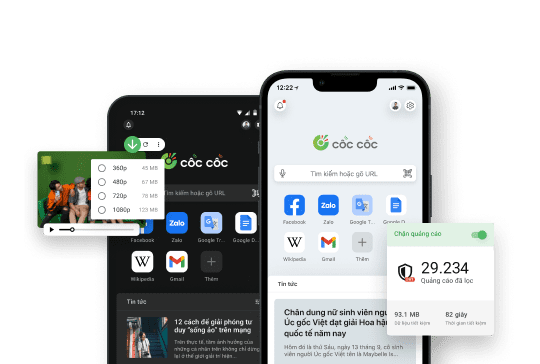
Download the Cốc Cốc browser to download TikTok videos for free
Người dùng nói gì về Cốc Cốc
Phạm Duy Phương
Play Store
Very good feature. Today I download the video without ID without using another app supported, awesome.

Hoai Nam
App Store
Sooo convenient, the TikTok video no longer has the watermark when downloaded.
Việt
Facebook Group
I'm impressed with Cốc Cốc because searching for information is very simple and the video download speed is always very fast.
Frequently asked questions
Which tool should I use to download TikTok videos?
Cốc Cốc browser with the Fast download feature is the optimal way to download TikTok videos to computers:
- Download TikTok videos for free, no need to install third-party software.
- Support various file formats and qualities, easily convert from .mp4 to .mp3 files.
- Allow downloading videos from almost all websites, including TikTok, Facebook, YouTube, Instagram.
- Download videos 8 times faster, saving more time compared to using other download TikTok video tools.
- Download TikTok videos for free, no need to install third-party software.
- Support various file formats and qualities, easily convert from .mp4 to .mp3 files.
- Allow downloading videos from almost all websites, including TikTok, Facebook, YouTube, Instagram.
- Download videos 8 times faster, saving more time compared to using other download TikTok video tools.
How to download TikTok video to a computer?
Using the Cốc Cốc browser, you can follow one of the two instructions below to download TikTok video without watermark:
Instruction 1: Use the media panel
1. On the Cốc Cốc desktop browser, access the link of the TikTok video you want to download.
2. Hover over the video player.
3. On the media panel (which appears above the video player), choose the video format and download quality.
4. Click Download (↓ icon).
Instruction 2: Use the Download button on the address bar
1. Go to the link of the TikTok video you want to download.
2. Click on the Download button (↓ icon) on the address bar.
3. In the dialog box, select the video format and download quality.
4. Click Download (↓ icon).
Learn more in the article How to download video and audio with the Cốc Cốc browser.
Instruction 1: Use the media panel
1. On the Cốc Cốc desktop browser, access the link of the TikTok video you want to download.
2. Hover over the video player.
3. On the media panel (which appears above the video player), choose the video format and download quality.
4. Click Download (↓ icon).
Instruction 2: Use the Download button on the address bar
1. Go to the link of the TikTok video you want to download.
2. Click on the Download button (↓ icon) on the address bar.
3. In the dialog box, select the video format and download quality.
4. Click Download (↓ icon).
Learn more in the article How to download video and audio with the Cốc Cốc browser.
How to download TikTok images without a watermark to a computer?
On the desktop browser Cốc Cốc, you can follow these steps to download TikTok images:
1. On the Cốc Cốc desktop browser, open the link to the TikTok image you want to download.
2. Hover your mouse over the image.
3. On the media toolbar (which appears above the image), select “Download current image” or “Download all images” to save the TikTok images to your computer."
1. On the Cốc Cốc desktop browser, open the link to the TikTok image you want to download.
2. Hover your mouse over the image.
3. On the media toolbar (which appears above the image), select “Download current image” or “Download all images” to save the TikTok images to your computer."
How to download TikTok sound?
On the Cốc Cốc desktop browser, to download only the sound of a TikTok video, or download TikTok mp3, you will need to download the video in .mp3 format instead of the usual .mp4. To download a TikTok video in .mp3 format, follow these steps:
1. On the Cốc Cốc desktop browser, go to the link of the TikTok video you want to download.
2. Hover over the video player.
3. On the media panel (which appears above the video player) or the address bar, click Download (↓ icon).
4. From the dropdown list, select the .mp3 file format and proceed with the download.
1. On the Cốc Cốc desktop browser, go to the link of the TikTok video you want to download.
2. Hover over the video player.
3. On the media panel (which appears above the video player) or the address bar, click Download (↓ icon).
4. From the dropdown list, select the .mp3 file format and proceed with the download.
Where is my downloaded video saved?
On computer
Videos will be saved in the default download folder or the download folder that you select right before downloading the file. To find the folders where you saved your downloaded videos, please follow these steps:
1. Open Cốc Cốc on your computer.
2. At the top right corner, click the Downloads icon (the outermost ↓ icon).
3. Search for the video in the download list > click Show in folder.
Videos will be saved in the default download folder or the download folder that you select right before downloading the file. To find the folders where you saved your downloaded videos, please follow these steps:
1. Open Cốc Cốc on your computer.
2. At the top right corner, click the Downloads icon (the outermost ↓ icon).
3. Search for the video in the download list > click Show in folder.
How to download TikTok video to a phone
The Download video feature is built into the mobile browser, helping you download videos from most websites such as Facebook, X (Twitter), Instagram, YouTube. However, Cốc Cốc does not yet support downloading TikTok videos due to platform regulations. Currently, the Download TikTok video feature is being developed by the Cốc Cốc team.
How to download TikTok videos in HD?
The Fast download feature allows you to choose the resolution of the video. With Cốc Cốc browser, to download high-quality TikTok videos in Full HD (1080p), 2K (1440p), or 4K (2160p), simply choose the video file resolution before downloading.
If the media panel does not display the desired resolution, it means that the video file does not support the resolution you need.
If the media panel does not display the desired resolution, it means that the video file does not support the resolution you need.
Can I download all TikTok videos from a channel in one download?
Currently, Cốc Cốc desktop and mobile browser does not support this feature when downloading TikTok videos. To download all TikTok videos from a channel or all videos from a specific hashtag, you need to go to each video individually and click the Download button (↓ icon) to download TikTok videos without logos to your device.
Does Cốc Cốc limit the number of videos I can download?
No. You can download as many TikTok videos as you like without any limit.

Can't find what you're looking for?
Please visit our Support center to find instructions or chat with our staff.
Please visit our Support center to find instructions or chat with our staff.