


Download Pinterest video to your device
The Fast download feature on Cốc Cốc browser helps you download any videos on Pinterest to your phone and computer in a snap.
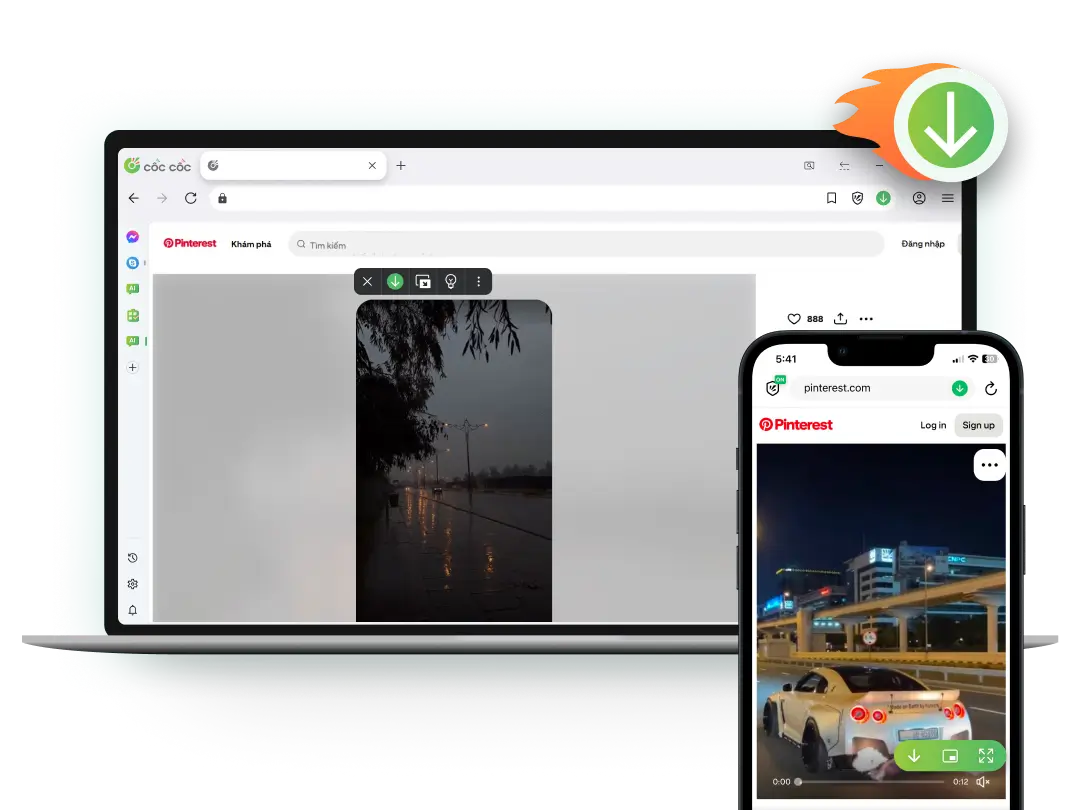
Pinterest video downloader
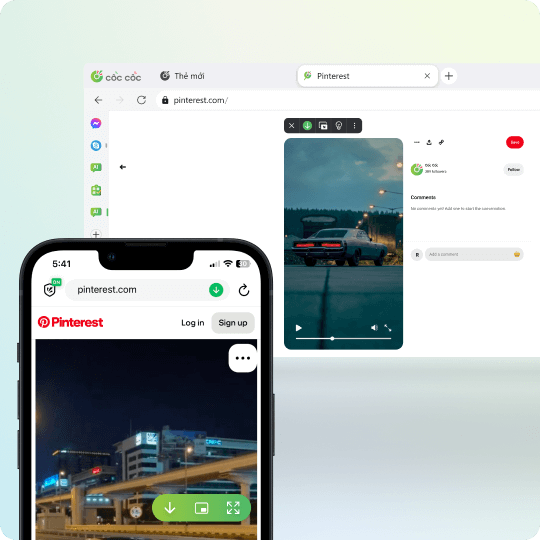
Download Pinterest videos on any device
To download Pinterest videos, you can use the Download video feature on Cốc Cốc browser. This feature helps you download Pinterest videos on various devices such as computers, phones (iOS & Android), and tablets in just a few clicks
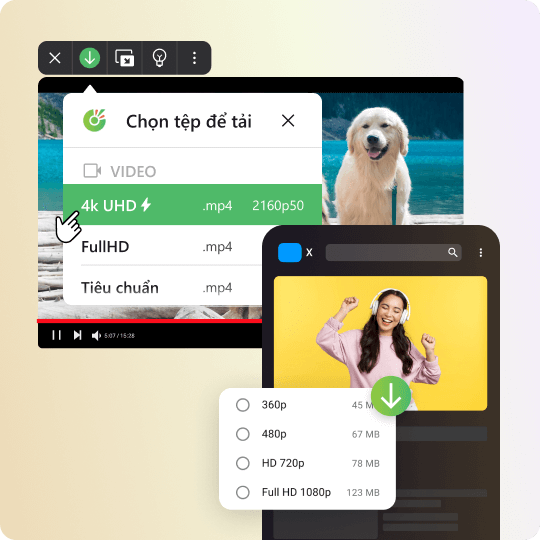
Download HD Pinterest videos
Enjoy the experience of downloading high-quality Pinterest videos for free, without limitations. With the Fast download feature, you can easily choose the resolution of the video before downloading, including 4K HD, Full HD, or HD.
Download Pinterest videos without watermark
With Cốc Cốc, you can effortlessly download Pinterest video without logos to your computer. Save Pinterest videos directly to your device without the need for a third-party Pinterest video downloader.
How to download Pinterest videos to your phone

Open the Facebook video
Click on Download button on the address bar or media panel.

Select file to download
Choose the download format and quality.

Manage downloaded files
Open Downloads page to find, open the file, or delete it permanently.
How to download Pinterest videos to your computer

Open the Facebook video
Click on Download button on the address bar or media panel.

Select file to download
Choose the download format and quality.

Manage downloaded files
Open Downloads page to find, open the file, or delete it permanently.
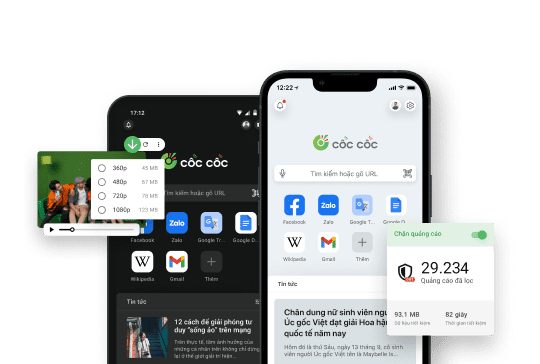
Use Cốc Cốc browser
to download Pinterest videos
Frequently asked questions
Which tool should I use to download Pinterest videos?
Compared to other tools, Cốc Cốc helps you download Pinterest videos and music faster and more conveniently:
- Download Pinterest videos to your phone, computer, or tablet.
- Download Pinterest videos completely free, without installing any third-party software.
- Offers multiple formats and quality options, easily convert from .mp4 to .mp3 files.
- Allows downloading videos from most popular websites, including Pinterest, Facebook, YouTube, and TikTok.
- Downloads videos up to 8 times faster, saving you more time than other Pinterest video download tools.
- Download Pinterest videos to your phone, computer, or tablet.
- Download Pinterest videos completely free, without installing any third-party software.
- Offers multiple formats and quality options, easily convert from .mp4 to .mp3 files.
- Allows downloading videos from most popular websites, including Pinterest, Facebook, YouTube, and TikTok.
- Downloads videos up to 8 times faster, saving you more time than other Pinterest video download tools.
How to download Pinterest video to a computer
To download videos from Facebook to a computer using the Cốc Cốc browser, you can follow one of the two instructions below:
Instruction 1: Use the media panel
1. On the Cốc Cốc desktop browser, access the link of the Pinterest video you want to download.
2. Hover over the video player.
3. On the media panel (appears above the video player), choose the video format and download quality.
4. Click Download.
Instruction 2: Use the Download button on the address bar
1. Go to the link of the Pinerest video you want to download.
2. Click on the Download icon (down arrow) on the address bar.
3. In the dialog box, select the video format and download quality.
4. Click Download (down arrow).
Learn more in the article How to download video and audio with the Cốc Cốc browser.
Instruction 1: Use the media panel
1. On the Cốc Cốc desktop browser, access the link of the Pinterest video you want to download.
2. Hover over the video player.
3. On the media panel (appears above the video player), choose the video format and download quality.
4. Click Download.
Instruction 2: Use the Download button on the address bar
1. Go to the link of the Pinerest video you want to download.
2. Click on the Download icon (down arrow) on the address bar.
3. In the dialog box, select the video format and download quality.
4. Click Download (down arrow).
Learn more in the article How to download video and audio with the Cốc Cốc browser.
How to download Pinterest video to a phone
On the mobile browser, you can also use the Fast download feature to download videos. To download Pinterest video to your phone or table, follow these steps:
1. On the Cốc Cốc mobile browser, go to the link of the Pinterest video you want to download.
2. Tap the Download icon (down arrow) on the media panel or the address bar.
3. Choose the video format and download quality.
See more in the article How to download videos and music to your phone with the Cốc Cốc browser.
1. On the Cốc Cốc mobile browser, go to the link of the Pinterest video you want to download.
2. Tap the Download icon (down arrow) on the media panel or the address bar.
3. Choose the video format and download quality.
See more in the article How to download videos and music to your phone with the Cốc Cốc browser.
How to download HD Pinterest video
The Fast download feature allows you to choose the format and resolution of the video. To download high-quality Pinterest videos in HD (720p), Full HD (1080p), 2K (1440p), or 4K (2160p), simply choose the video file resolution before downloading.
If the media panel does not display the desired resolution, it means that the video file does not support the resolution you need.
If the media panel does not display the desired resolution, it means that the video file does not support the resolution you need.
How to download Pinterest audio
On the Cốc Cốc desktop browser, to download only the audio of a Pinterest video without the visuals, you will need to download the video in .mp3 format instead of the usual .mp4. To download a Pinterest video in .mp3 format, follow these steps:
1. On the Cốc Cốc desktop browser, go to the link of the Pinterest video you want to download.
2. Hover over the video player.
3. On the media panel (appears above the video player) or the address bar, click Download.
4. From the dropdown list, select the .mp3 file format and proceed with the download.
1. On the Cốc Cốc desktop browser, go to the link of the Pinterest video you want to download.
2. Hover over the video player.
3. On the media panel (appears above the video player) or the address bar, click Download.
4. From the dropdown list, select the .mp3 file format and proceed with the download.
If the video displays "Audio not available in your location," can I download the video with audio?
According to Pinterest's policy, videos containing copyrighted audio may be restricted in certain locations, and a message saying "Audio not available in your location" may appear on the video. In such cases, try playing the video and turning on the audio. If you can hear the sound while playing the video, you can proceed to download the video with audio as usual.
Where is my downloaded video saved?
'On computer
Videos will be saved in the default download folder or the download folder that you select right before downloading the file. To find the folders where you saved your downloaded videos, please follow these steps:
1. Open Cốc Cốc on your computer.
2. At the top right corner, click the Downloads icon (the outermost ↓ icon).
3. Search for the video in the download list > click Show in folder.
- On iPhone, iPad: Videos will be saved in Cốc Cốc app (in Downloads). To save downloaded video to your device, please follow these steps:
1. On your iPhone or iPad, open Cốc Cốc app.
2. At the bottom right corner, tap Browser menu icon (≡ icon) > select Downloads.
3. In Downloads folder, select Video.
4. Search for the music in the download list > tap More icon (⁝ icon) > tap Share.
5. Select Save Video (save to Photos) or Save to Files.
- On Android phone or tablet: Video will be saved in Cốc Cốc app (in Downloads) and on your device (in Gallery and My Files).
Videos will be saved in the default download folder or the download folder that you select right before downloading the file. To find the folders where you saved your downloaded videos, please follow these steps:
1. Open Cốc Cốc on your computer.
2. At the top right corner, click the Downloads icon (the outermost ↓ icon).
3. Search for the video in the download list > click Show in folder.
- On iPhone, iPad: Videos will be saved in Cốc Cốc app (in Downloads). To save downloaded video to your device, please follow these steps:
1. On your iPhone or iPad, open Cốc Cốc app.
2. At the bottom right corner, tap Browser menu icon (≡ icon) > select Downloads.
3. In Downloads folder, select Video.
4. Search for the music in the download list > tap More icon (⁝ icon) > tap Share.
5. Select Save Video (save to Photos) or Save to Files.
- On Android phone or tablet: Video will be saved in Cốc Cốc app (in Downloads) and on your device (in Gallery and My Files).
Does Cốc Cốc limit the number of videos I can download?
No. You can download as many Pinterest videos as you like without any limit.

Can't find what you're looking for?
Please visit our Support center to find instructions or chat with our staff.
Please visit our Support center to find instructions or chat with our staff.