


Ask AI: Quick chat with AI right in your browser
No need to open extra tabs, no need to type long prompts. With Ask AI on Cốc Cốc, you can chat with ChatGPT or Gemini faster and more conveniently thanks to built-in prompt templates.
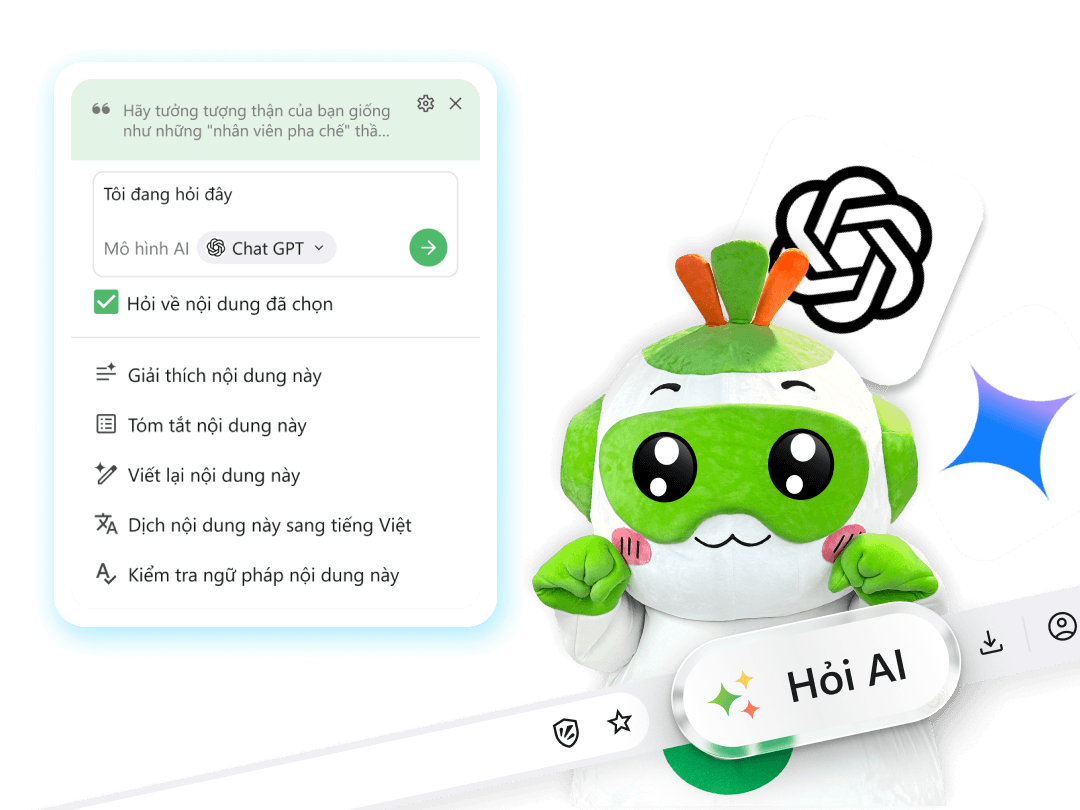
Ask AI about any content you are viewing
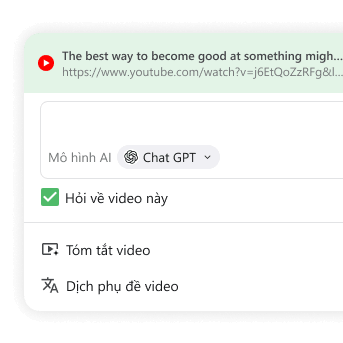
Summarize YouTube videos & Translate subtitles
Use AI to summarize YouTube videos to capture key points and important timestamps without watching the entire video. Additionally, Ask AI can translate YouTube subtitles, helping you access content without language barriers.
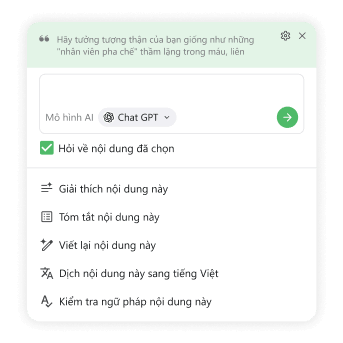
Interact with selected text
Simply highlight text, and Ask AI will help you summarize, explain, translate, or rewrite the content instantly. If you need to dive deeper, you can continue chatting with the AI to get detailed answers.
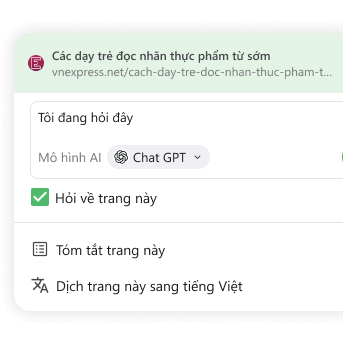
Summarize & Translate whole webpages
Easily summarize webpages to understand the main points of long articles or documents. When visiting foreign websites, you can also translate webpages using AI, making reading content more convenient and accurate.
Download Cốc Cốc browser
to browse the web and chat with AI faster
Frequently asked questions
Is the Ask AI feature on Cốc Cốc free?
Yes, the Ask AI feature is built-in and completely free for Cốc Cốc browser users.
How to use the Ask AI feature?
You can easily use the Ask AI feature by following these detailed steps:
1. For YouTube videos and webpages
Method 1: Click the Ask AI icon on the address bar
Step 1: Open the YouTube video or webpage you want to view on Cốc Cốc.
Step 2: Click the Ask AI icon at the end of the address bar.
Step 3: Select a prompt template or enter a custom prompt.
Method 2: Right-click on the webpage
Step 1: Open the YouTube video or webpage you want to view on Cốc Cốc.
Step 2: Right-click anywhere on the blank space of the webpage.
Step 3: Select Ask AI about this page > Choose a prompt template.
2. For selected text
Method 1: Click the Ask AI icon on the address bar.
Step 1: Highlight the text you want to select.
Step 2: Click the Ask AI icon at the end of the address bar.
Step 3: Select a prompt template or enter a custom prompt.
Method 2: Right-click on the selected text
Step 1: Highlight the text you want to select > Right-click on it.
Step 2: Select Ask AI about this content > Choose a prompt template.
1. For YouTube videos and webpages
Method 1: Click the Ask AI icon on the address bar
Step 1: Open the YouTube video or webpage you want to view on Cốc Cốc.
Step 2: Click the Ask AI icon at the end of the address bar.
Step 3: Select a prompt template or enter a custom prompt.
Method 2: Right-click on the webpage
Step 1: Open the YouTube video or webpage you want to view on Cốc Cốc.
Step 2: Right-click anywhere on the blank space of the webpage.
Step 3: Select Ask AI about this page > Choose a prompt template.
2. For selected text
Method 1: Click the Ask AI icon on the address bar.
Step 1: Highlight the text you want to select.
Step 2: Click the Ask AI icon at the end of the address bar.
Step 3: Select a prompt template or enter a custom prompt.
Method 2: Right-click on the selected text
Step 1: Highlight the text you want to select > Right-click on it.
Step 2: Select Ask AI about this content > Choose a prompt template.
Which AI models can I chat with?
Currently, Cốc Cốc supports two AI models: ChatGPT and Gemini, with ChatGPT set as the default model. To switch AI models, you can follow these steps:
1. On your desktop browser, open the Menu (☰)
2. Select Settings > AI Innovations > Ask AI
3. Under Preferred AI model section, select ChatGPT or Gemini according to your needs
1. On your desktop browser, open the Menu (☰)
2. Select Settings > AI Innovations > Ask AI
3. Under Preferred AI model section, select ChatGPT or Gemini according to your needs
Which language will Ask AI respond in?
By default, Ask AI responds in the display language of your Cốc Cốc browser. Additionally, you can set the language for Ask AI to Vietnamese or English by following these steps:
1. On your desktop browser, open the Menu (☰)
2. Select Settings > AI Innovations > Ask AI
3. Under Language section, select your preferred language"
1. On your desktop browser, open the Menu (☰)
2. Select Settings > AI Innovations > Ask AI
3. Under Language section, select your preferred language"
Does Ask AI support YouTube videos without subtitles (CC)?
Yes. You can still use Ask AI to summarize YouTube videos even if the video does not have available subtitles (CC). However, for videos without subtitles, the AI's data recognition capabilities may be limited, which could result in no response or less accurate summaries in some cases.
Which operating systems support the Ask AI feature?
The Ask AI feature is currently available on the Cốc Cốc desktop browser (Windows and macOS operating systems). Currently, Ask AI is not supported on mobile browser versions (iOS and Android).

Can't find what you're looking for?
Please visit our Support center to find instructions or chat with our User Support.
Please visit our Support center to find instructions or chat with our User Support.